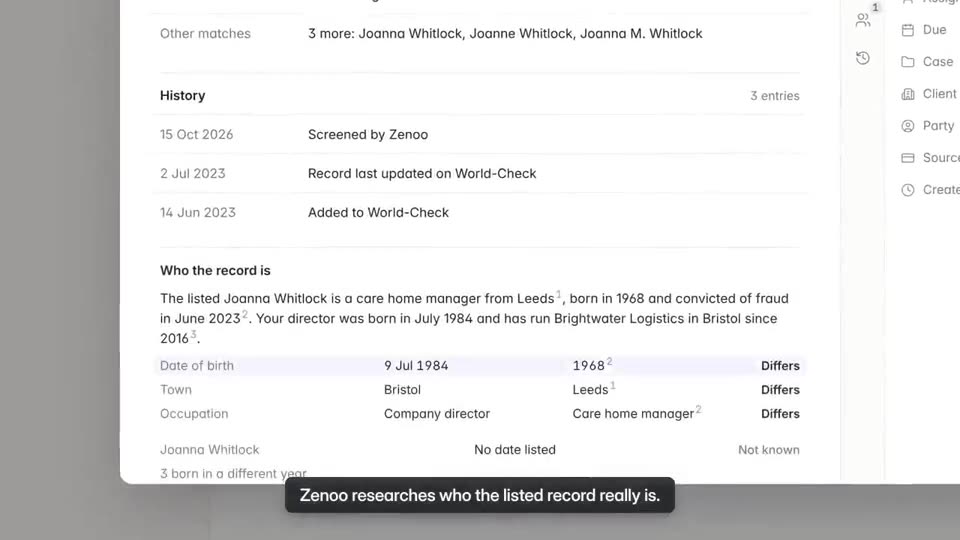


As it happens
Nothing written up afterwards.
Every check, comment, decision, and approval is added to the history the moment it happens.
Compliance Hub history
The case history records each step as it happens. Zenoo's suggestions and your team's decisions sit side by side, so it is always clear which was which.
Watch it work · 0:44
More films:Export the packApprove a caseAll films
Where this fits
Your providers send their results in. Zenoo organises them and puts what needs you in the Inbox. You deal with it, tick it off, and the next one comes in. Pick providers from the Marketplace, or bring your own.
Your checksFrom the Marketplace
My inbox0 done
Zenoo suggests. You decide.
The Zenoo way
Why history
As it happens
Every check, comment, decision, and approval is added to the history the moment it happens.
With reasons
Clearing a hit, closing a check, or overriding a hard stop asks for a reason, and the reason stays with the step.
Side by side
Zenoo's suggestions are marked as suggestions. Your team's decisions are marked as decisions. Nobody has to guess which was which.
Zenoo AI
When a case is reopened, Zenoo points to the decisions that matter, with their reasons.
All the things
Questions
Yes. Every case, for a person or a company, keeps the same history of who did what, when, and why.
As it happens. Checks, comments, decisions, and approvals are added the moment they are made.
Yes. Suggestions are marked as suggestions, beside the decision your team made.
Anyone who can open the case.
No. The history is a record of what happened. Corrections are added as new steps.
Yes. Re-screening, reminders, and retries are written to the history like any other step.
Tomorrow, your case
We will run it through Zenoo while you watch: the evidence, the decision, and the record your MLRO would want to defend.
30 minutes. Your data. No slides.